











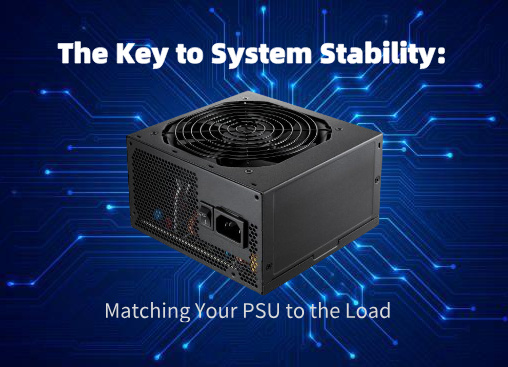
The Key to System Stability: Matching Your PSU to the Load
A high-performance CPU, a powerful GPU, fast storage—these are the components that capture our attention when building or upgrading a system. Yet, the component that powers them all, the Power Supply Unit (PSU), is often an afterthought, selected based on price or wattage alone. This is a critical mistake. Choosing a PSU that is properly matched to your system’s electrical load isn’t just about providing enough power; it’s the foundation of long-term stability, efficiency, and component health.
Think of your PSU as the heart of your system. A weak or mismatched heart can’t support a powerful body, leading to fatigue, unexpected failure, and a shortened lifespan.
Why “Just Enough” Wattage Isn’t Enough
Many users simply add up their components’ Thermal Design Power (TDP) or use an online calculator, then pick a PSU with a slightly higher wattage. While this avoids outright overload, it misses crucial factors for true stability:
- The 50-80% Sweet Spot: Modern PSUs are most efficient and run coolest when delivering 50-80% of their maximum rated load. A PSU running at 90-100% capacity is stressed, runs hot (reducing its lifespan), becomes less efficient, and can produce “noisier” power.
- Transient Load Spikes: Components like GPUs can create instantaneous power spikes (transients) far above their average TDP. A PSU with little headroom can trip its Over-Current Protection (OCP) under these spikes, causing an unexpected system shutdown—even if the average wattage seems fine.
- Future-Proofing and Degradation: Capacitors age and lose capacity over time. A PSU that starts at 90% load will degrade into an overloaded state. Adding a new component later becomes impossible without a full replacement.
The Stability Checklist: More Than Just Watts
Matching your PSU to your load involves evaluating four key pillars:
1. Capacity (Wattage): The Foundation
- Calculate Your Load: Use a reputable PSU calculator (like those from OuterVision or Seasonic), inputting all components, including fans, pumps, and RGB lighting.
- Add Headroom: Take your calculated maximum load and add a 30-40% buffer. This handles transient spikes, keeps you in the efficiency sweet spot, and allows for future upgrades.
- Example: If your system calculates to 450W, target a 650W – 750W PSU.
2. Quality & Topology: The Internal Engineering
A high-wattage, low-quality PSU is a liability. Look for:
- 80 Plus Certification: A basic indicator of efficiency (Bronze, Silver, Gold, Platinum, Titanium). Gold is the modern sweet spot for most builds, offering excellent efficiency without a steep premium.
- Professional Reviews: Seek out technical reviews from sites like Tom’s Hardware or JonnyGuru that test voltage regulation, ripple suppression, and component quality under load.
- Key Protections: Ensure it has full protection circuits: OCP (Over-Current), OVP (Over-Voltage), OPP (Over-Power), SCP (Short-Circuit), and UVP (Under-Voltage).
3. The Right Rails for the Job: +12V Delivery
Modern PCs draw almost all their power from the +12V rail(s). You must verify:
- +12V Rail Capacity: Check the PSU label. The combined power on the +12V rail(s) should be close to the unit’s total wattage. A quality 750W PSU should provide ~744W on +12V.
- Single vs. Multi-Rail: High-quality multi-rail (+12V1, +12V2…) designs with proper OCP can offer superior protection by isolating a fault on one cable. Single-rail designs offer maximum power to any single connector but rely on the main OCP. Both are valid; the implementation matters more than the marketing.
4. Connectors and Form Factor: Physical Compatibility
- CPU Power (EPS): High-end motherboards may need an 8-pin + 4-pin or dual 8-pin connector.
- GPU Power (PCIe): Modern graphics cards can require 2 or 3 dedicated 8-pin (6+2) PCIe connectors. Never use daisy-chained cables for high-power GPUs; use separate cables from the PSU for each connector.
- Form Factor: Ensure it fits your case (typically ATX, SFX for small form factor).
Application-Based PSU Matching Guide
| Application / System Load | Recommended Wattage & Key Features | Rationale |
|---|---|---|
| Office / Basic Home PC | 400W – 550W, 80 Plus Bronze. Basic protections. | Low power draw. Prioritize reliability and value over high wattage. |
| Mainstream Gaming (Mid-Range GPU) | 650W – 850W, 80 Plus Gold. Good single-rail or multi-rail. Modular cables. | Handles GPU transient spikes comfortably. Gold efficiency saves power. Modularity aids airflow. |
| High-End Gaming / Enthusiast (High-End GPU) | 850W – 1000W+, 80 Plus Gold/Platinum. Premium multi-rail or strong single-rail. Full modular. | Ample headroom for spikes, overclocking, and multi-GPU setups (if applicable). Top-tier components for clean power. |
| Workstation (Threadripper/Xeon, Multi-GPU) | 1000W – 1600W+, 80 Plus Platinum/Titanium. Multi-rail design recommended. | Extreme, sustained multi-core and multi-GPU loads. Maximum efficiency under high load reduces heat and cost. |
| Small Form Factor (SFF) Builds | SFX/SFX-L Form Factor, 600W – 850W, 80 Plus Gold/Platinum. Fully modular. | Limited space and cooling demand a smaller, high-quality, efficient unit to manage heat. |
| Home Server / NAS | 300W – 500W, 80 Plus Platinum. High-quality, quiet fan. | Optimized for 24/7 operation at low-to-mid loads (20-40%). Platinum efficiency minimizes electricity costs. Silence is key. |
The Cost of a Mismatch: What Happens When You Get It Wrong?
- Undersized/Low-Quality PSU: System instability (random crashes, blue screens), GPU throttling, inability to handle load spikes (sudden shutdowns during gameplay), and in extreme cases, component damage from electrical noise or failure.
- Oversized, Low-Quality PSU: Wasted money, potentially lower efficiency at your typical low load (outside the sweet spot), but still risks instability from poor power delivery.
- The Ideal: A right-sized, high-quality PSU. It delivers stable, clean power, runs cool and quiet, maximizes efficiency to save on electricity, and provides a reliable foundation for your system for years to come.
Final Recommendation: Invest in the Foundation
Your power supply is not a component to cheap out on. It is the cornerstone of system stability. Prioritize a unit’s internal quality, electrical performance, and appropriate capacity over sheer wattage or flashy aesthetics. By taking the time to match your PSU to your actual and anticipated load, you’re not just buying a component—you’re investing in the smooth, reliable, and long-lasting operation of your entire system.
The rule is simple: Build your system on a foundation of clean, ample power, and everything connected to it will thank you.

About author









Add comment